CASER Open Cases Upgrade Your Skins CASER Codes
Working promo codes, coin rewards, and redeem steps for Open Cases & Upgrade Your Skins.
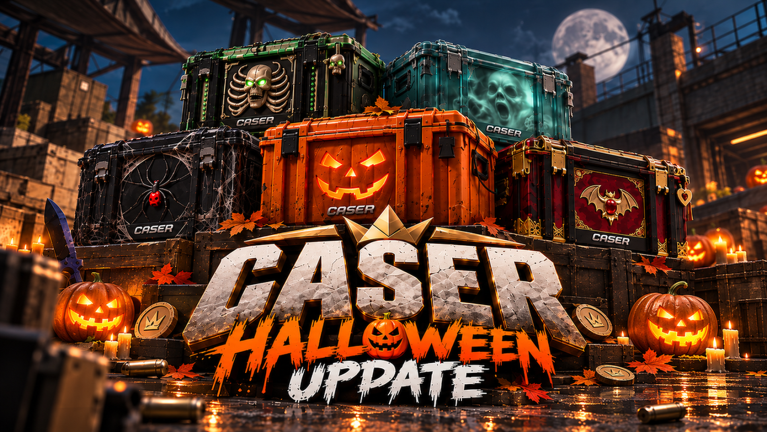
Promo codes are the fastest free coin injection in CASER - Open Cases & Upgrade Your Skins! by GLY Studios. Enter a working string, activate it once per account, and bank coins you can spend on cases, upgrades, or inventory plays without waiting on slow passive income. This hub lists every code we track for place 136751105840706 (universe 10764840185), marks what is still live versus expired, and points you to the full redeem walkthrough so you do not waste attempts on typos.
CASER is a CS2-inspired Roblox case simulator: open cases for skins, knives, and gloves, then push value through the Upgrader or chase multiplier swings in Mystery Mode. Codes feed that loop. A big drop like Halloween 2026 (with the space) can fund a long opening session; smaller strings still shave minutes off the grind toward your next target skin. All rewards here are virtual in-game items and coins only—there is no real-money cashout.
Official Roblox page promotions have called out seasonal strings such as Halloween 2026, so treat big seasonal names as high priority when they appear. Codes rotate. Bookmark this page, redeem as soon as you join a session, then move into cases with a clearer bankroll. New players should also skim the Getting Started guide and Opening Cases after claiming so the coins land in a sensible early plan instead of random low-EV spam.
Active codes (November 2026)
Redeem each code once per Roblox account. Spelling must match exactly—case usually matters. After a successful activate, check your coin balance and inventory toast before opening another case. Verified against community reporting for this GLY Studios place as of mid-November 2026.
| Code | Reward | Notes |
|---|---|---|
Halloween 2026 | 100,000 Coins | Large seasonal drop; space between Halloween and 2026 is required |
CASERDONE | 10,000 Coins | Solid mid-tier bankroll boost |
CASER | 500 Coins | Small starter code; still free value |
READY | Rewards | Confirm the in-game grant after activate |
SEASON | 30,000 Coins | Strong seasonal / progression boost |
Copy-paste from this table when possible. Spaces in Halloween 2026 are intentional—do not squash the string into HALLOWEEN2026 (that nospace form is commonly listed for a different Roblox place and will not work here).
If a code returns invalid immediately, it may have expired between wiki updates, or your account already claimed it. Jump to How to Redeem Codes for the exact UI path and troubleshooting matrix before you assume the list is wrong.
Warning: codes for a different CASER place
Roblox search returns more than one experience with “CASER” and “upgrade your skins” in the title. This wiki covers only GLY Studios CASER at place ID 136751105840706. A different place (126697347409345, often titled something like “[UPD] CASER - Upgrade Your Skins!”) publishes its own promo strings. Those codes are not valid on our game.
Community lists and short-form clips often mix the two. If you see any of the following presented as “CASER codes,” treat them as other-place codes unless you are intentionally playing that other experience:
BIGUPDATEXBOOSTGIVEAWAYSCUSTOMCASESCONTRACTS2V2BATTLES250KVISITS700CCUHALLOWEEN2026(no space)
Entering those strings on GLY Studios CASER will typically fail. Conversely, our working set—Halloween 2026, CASERDONE, CASER, READY, SEASON—belongs to place 136751105840706. Always confirm you launched the GLY Studios experience before redeeming, and prefer this hub over unsorted aggregator posts.
Expired codes
Keep these visible so you do not burn time retrying dead strings circulating on old clips.
| Code | Former reward | Status |
|---|---|---|
LUCKY1 | 33,333 Coins | Expired |
When a previously active code moves here, remove it from your personal checklist. Re-entering expired codes never restores the old payout.
How to redeem (quick path)
- Launch CASER - Open Cases & Upgrade Your Skins! on Roblox (GLY Studios, place
136751105840706) and wait until the main lobby / case UI finishes loading. - Click the + control, then open the panel in the top-right area.
- Choose PROMO CODE.
- Type or paste the code into ENTER CODE.
- Press ACTIVATE and wait for the success or error toast.
Full screenshots-style detail, common error meanings, and what to do when the button does nothing live on the dedicated how to redeem page. Watch the embed on this hub if you prefer a video pass before clicking through menus yourself.
What to do with code coins
Dumping an entire 100K drop into the cheapest case spam is fun for a minute and weak for your inventory long term. A cleaner loop:
- Claim every active code in one sitting so you know your true balance.
- Open a small batch of mid-tier cases to seed inventory with tradeable or upgradable skins—not only vanity fillers. See Opening Cases and Best Cases.
- Use the Upgrader when you have a clear target and an acceptable chance; avoid all-in upgrades you cannot afford to lose (How to Upgrade).
- Treat Mystery Mode (x5–x15 multiplier zone) as a controlled swing tool, not a recovery button after a bad streak (Mystery Mode).
- Claim Daily Rewards on the same login so free progression stacks with promo coins (Daily Rewards).
- Sort new drops with Keep / Sell / Upgrade habits from the Inventory Hub and Inventory Habits guide.
If you are brand new, pair this page with Getting Started before you touch high-risk upgrader odds. Players hunting automation should read the Scripts Hub and the auto-open scripts page first—scripts can speed opens but carry ban risk and are never required to enjoy codes.
Why codes matter in CASER’s economy
Cases, upgrades, and mystery rolls all burn coins. Organic income from play and dailies exists, yet promo strings compress days of grinding into one activate. That compression is why seasonal codes get pinned on the Roblox page and why this wiki separates active from expired instead of dumping every rumor into one unsorted list.
Codes also reduce pressure to buy Robux-funded packs if the experience offers them. You can stay fully free-to-play, claim promos, and still reach knives or gloves through careful case selection and upgrader discipline. Virtual cosmetics only—nothing here converts to real currency.
Mid-November 2026 context for this place: roughly 3.7–3.9k concurrent players at peak windows, about 6.1–6.27 million visits, and a client update stamp around 2026-11-15. Promo lists move faster than visit counters, so re-check this hub after every major Friday-style drop.
Update cadence and verification
We refresh this hub when Roblox Den / official promos tied to this place change, when community reports confirm a new working string, or when a listed code starts failing for fresh accounts. Always try the redeem UI yourself after a major update; client patches occasionally move the PROMO CODE entry without changing the code text.
Cross-check related pages after a big patch:
- How to Redeem Codes — UI path and errors
- Getting Started — first-hour plan for new coin banks
- Opening Cases — how to spend code coins on cases
- November 2026 Update — seasonal snapshot for this place
- Scripts Hub — optional automation context (use at your own risk)
Fair play reminder
Redeeming official promo codes is allowed and intended. Sharing working codes for the correct place helps the community. Using third-party executors or stolen accounts to mass-claim codes is not. Keep rewards on your main account, avoid shady “code generators,” and report phishing links that pretend to be CASER redeem sites outside Roblox.
Stay inside the official GLY Studios experience for redemption. If a website asks for your password to “apply Halloween 2026,” close it. Real codes only need the in-game PROMO CODE flow described above and on the redeem guide.
Frequently Asked Questions
Quick answers to the most common CASER questions.
What are the working CASER codes right now?
As of mid-November 2026 on GLY Studios place 136751105840706, active codes include Halloween 2026 (100K Coins, with space), CASERDONE (10K), CASER (500), READY (rewards), and SEASON (30K). LUCKY1 is expired. Always redeem in-game to confirm live status.
Why do BIGUPDATE, XBOOST, or HALLOWEEN2026 fail?
Those strings are commonly listed for a different Roblox place (126697347409345), not GLY Studios CASER. Use Halloween 2026 with a space, plus CASERDONE, CASER, READY, and SEASON on this game.
How do I redeem a CASER promo code?
Open the GLY Studios game, click +, use the top-right promo panel, choose PROMO CODE, enter the string, then ACTIVATE. Full steps are on the How to Redeem Codes page.
Do CASER codes give real money?
No. Codes grant virtual coins or in-game rewards only. Skins, knives, and gloves stay inside Roblox—there is no cashout.
Why does my code say invalid?
It may be expired, already redeemed, mistyped, copied from the wrong CASER place, or temporarily broken after an update. Recheck spelling (especially the space in Halloween 2026), try another active code, and see the redeem troubleshooting guide.
Can I redeem the same code twice?
No. Each promo code typically works once per Roblox account. A second activate usually returns an already-used or invalid style error.