CASER Open Cases Upgrade Your Skins CASER Updates Hub
Patch cadence, seasonal promos, and where to confirm what changed.
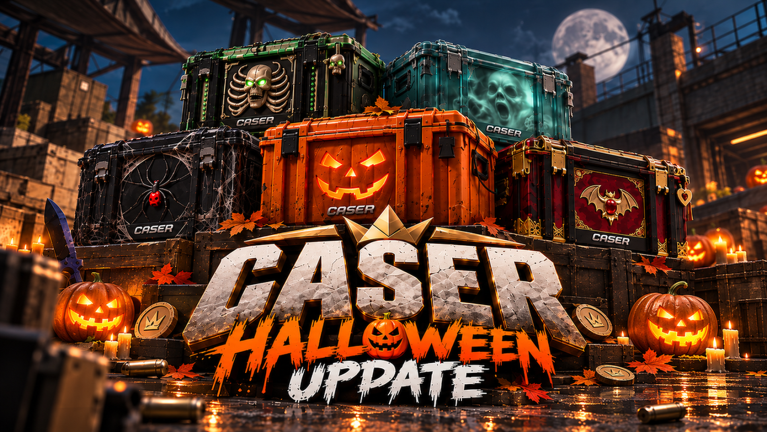
CASER - Open Cases & Upgrade Your Skins! ships regular content drops: new cases, skin art, Upgrader tweaks, Mystery Mode targets, and promo windows. This hub explains how updates usually arrive, what to check after a patch, and which wiki pages stay useful between releases.
GLY Studios iterates on a live Roblox place. That means the authoritative changelog is often the in-game UI plus the official Roblox game page description—not a long forum post. Treat this wiki as a structured companion: we summarize patterns, link playbooks, and archive monthly snapshots so you can orient quickly after a Friday-style refresh.
How CASER updates typically land
Most players notice three layers of change:
- Case and skin catalog — new crates, limited cosmetics, knives/gloves variants, or rotated free cases.
- Systems and UI — Upgrader presets, Mystery Mode multipliers, inventory layout, ranks, battles, or market tools.
- Promo economy — new promo codes, Halloween or visit-milestone gifts, and short event banners on the Roblox page.
When a drop hits, open the game first. Confirm the case list, skim any on-screen tips, then redeem codes before they expire. Only after that should you rewrite bankroll plans or chase a brand-new limited skin.
What to verify after every patch
Use this checklist so you do not invent meta from rumor:
- Roblox page text — codes, event names, and feature bullets often update before community posts catch up.
- In-game cases — prices, free rotations, and whether a limited vault is still open.
- Upgrader controls — chance presets, balance-add options, and any X-boost style markers if present that week.
- Mystery Mode / Mystery Zone — multiplier ranges and entry cost relative to your coin stack.
- Daily rewards and inventory — claim streaks, sell filters, and whether new ranks or leaderboards appeared.
If something conflicts between a YouTube clip and what you see live, trust the live client. Virtual item values and odds displays inside CASER always beat third-party screenshots.
Wiki pages that pair with Updates
- Read the monthly snapshot: November 2026 Update for the Halloween 2026 (spaced) promo era, 6M+ visits mid-Nov context, and active codes for this GLY Studios place—not lookalike-game strings.
- Keep Codes bookmarked; promo strings rotate faster than case art.
- Use Guides for durable mechanics (Opening Cases, upgrading, Inventory Habits) that survive small UI renames.
- When you need planning math instead of lore, open Tools and the Upgrade Odds planner.
- Cross-check keep-or-sell decisions in the Inventory Hub and relative value notes on the Tier List.
Reading a changelog without overreacting
A new case does not mean your old inventory is worthless. Most patches add options, not a hard reset. Liquidate duplicates into coins when you need case budget; keep signature knives or gloves that match a personal collection goal. If an update advertises Upgrader reworks, practice on low-stake targets before you risk a high-value skin.
Seasonal banners (Halloween, visit milestones, CCU celebrations) usually bundle coins via codes. Redeem early, then decide whether those coins buy volume opens or a single higher-tier case. Volume teaches drop feel; single expensive opens amplify variance.
Cadence expectations
CASER markets itself with regular updates—new cases, skins, and features—and community notes often mention Friday-style pushes. Cadence can slip during large UI reworks. When the Roblox “Updated” timestamp moves but the description is quiet, still open the client: silent case art swaps and free-case rotations happen.
Between major drops, the best “update” you can give yourself is operational: claim dailies, clear junk inventory into coins, and re-check codes. That keeps you ready when the next limited vault or promo string appears.
Safety and scope reminders
All currencies and items in CASER are virtual and stay inside the Roblox experience. This fan wiki does not sell skins, promise real-money value, or replace Roblox moderation. For official group rewards and studio posts, start from the Links Hub.
Stay current: skim this hub after each noticeable patch, then dive into the newest monthly page when we publish one. Pair updates with codes and guides so you spend less time guessing and more time opening with a plan.
Frequently Asked Questions
Quick answers to the most common CASER questions.
Where do CASER updates get announced first?
Usually on the live Roblox game page description and inside the client. Check those before trusting secondary posts.
Do updates wipe inventory?
Routine case and UI drops do not wipe collections. Still verify in-game after large reworks, and keep screenshots of prized skins if you are mid-upgrade.
How often should I re-check codes after a patch?
Every time the Roblox page mentions Promo Codes or a seasonal event. Codes expire without long warning—see the Codes hub.
Which wiki page covers the current November 2026 state?
Use the November 2026 Update page for Halloween 2026 (spaced) promo context on this GLY Studios place, 6M+ visits mid-Nov notes, active-codes guidance, and links back to guides.