CASER Open Cases Upgrade Your Skins CASER Links Hub
Official destinations and the wiki map in one place.
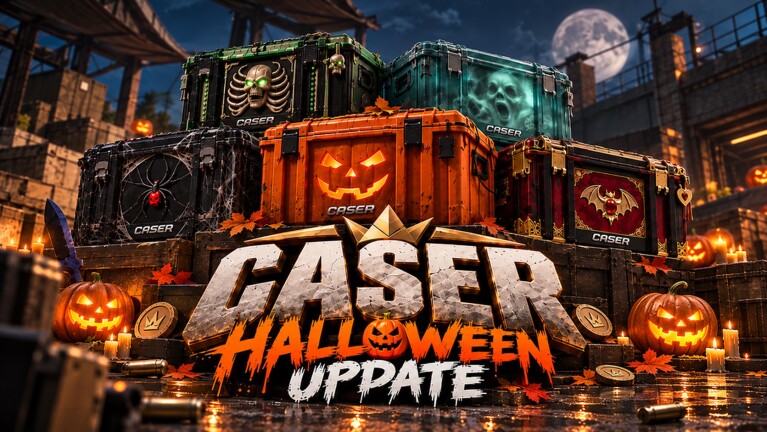
This Links Hub gathers official Roblox destinations for CASER - Open Cases & Upgrade Your Skins! and the internal wiki hubs you will use daily. Bookmark it when a creator video skips the source links or when a seasonal banner makes you wonder what is actually first-party.
Unofficial fan wiki — read this first
This site is an unofficial fan wiki. It is not operated by GLY Studios, Roblox Corporation, or Valve. We do not sell skins, process real-money withdrawals, or speak for the developers. Patch timing, code validity, odds text, and case prices can change in the live client without warning. When this wiki and the game disagree, the game wins.
Use our pages for structured guides, inventory policy, and planning habits. Use official links below for the experience itself, group rewards, and studio-facing posts.
Official Roblox links
- Play CASER — CASER - Open Cases & Upgrade Your Skins! on Roblox (place
136751105840706). Join here for cases, Upgrader, Mystery Mode, daily rewards, and inventory. - GLY Studios community — GLY Studios on Roblox. Group walls and group rewards (when offered) usually route through the studio community page. Join only through Roblox’s official community UI.
Always verify URLs start with roblox.com before entering codes anywhere else. Promo redemption happens inside the experience (Promo Code / profile flows), not on random third-party forms.
What the official game page is good for
The Roblox description often carries:
- Current promo callouts (seasonal codes, event names).
- Feature bullets for Cases, Upgrader, Mystery Mode, Daily Rewards, and Inventory.
- Reminders that currencies and items are virtual and remain in-game.
- The “Updated” timestamp after GLY Studios publishes a push.
Make it a habit: open the official page, then open the client, then open this wiki’s Codes list. That order prevents redeeming expired strings you saw in an old screenshot.
Wiki internal hubs
Navigate the fan wiki from these hubs:
- Codes — working promo strings and redemption steps.
- Guides — how-to playbooks for opening, upgrading, and modes.
- Updates — cadence advice and monthly snapshots such as November 2026.
- Tools — planners like Upgrade Odds.
- Inventory Hub — keep/sell policy and collection goals.
- Tier List — relative desirability notes for chase targets.
- Scripts — separate risk-framed tooling discussion if you need it; never required to enjoy CASER.
Cross-linking keeps SEO pages honest: each hub should send you to a concrete next action instead of trapping you in a dead end.
How to stay safe while hopping links
- Prefer Roblox official pages and this wiki’s HTTPS URLs.
- Do not paste account passwords into “code generators.”
- Ignore anyone offering real-world money for CASER inventory; the experience frames items as virtual.
- Treat executor script sites as high risk and unrelated to official support.
- When a Discord or social invite appears in a video, match it against destinations the studio actually publishes—do not trust overlays alone.
If GLY Studios adds a Trello, Discord, or social account later, we will extend this hub. Until then, the Roblox game page and community page remain the canonical pair.
Suggested first-time path
- Open the official game link and favorite the experience.
- Join the GLY Studios community if you want group-side freebies when they exist.
- Launch CASER, finish the short tutorial, claim dailies.
- Redeem codes via the in-game Promo Code UI with help from the Codes hub.
- Read Getting Started under Guides, then set an inventory job on the Inventory Hub.
- Use Upgrade Odds before your first serious Upgrader stake.
Attribution and scope
CASER is a CS2-inspired case simulator on Roblox. Visual references to popular shooter cosmetics are entertainment homages inside a virtual economy. This wiki’s job is player education: codes, guides, updates, tools, inventory, and links—not counterfeit storefronts.
Thanks for treating the Links Hub as the front door. Return here whenever a seasonal event reshuffles the social graph, and keep the unofficial nature of this fan resource in mind while you play.
Frequently Asked Questions
Quick answers to the most common CASER questions.
Is this CASER wiki official?
No. It is an unofficial fan resource. GLY Studios and Roblox are the authorities for the live game, group rewards, and moderation.
What is the official game link?
https://www.roblox.com/games/136751105840706/CASER-Open-Cases-Upgrade-Your-Skins — always join through Roblox.
Where is the GLY Studios group?
https://www.roblox.com/communities/137845267 — use Roblox’s community page for group joins and any group-gated gifts.
Can I redeem codes on this website?
No. Codes redeem inside CASER’s Promo Code UI. Use the Codes hub for lists, then enter them in-game.