CASER Open Cases Upgrade Your Skins Getting Started in CASER
A practical first-session plan for cases, codes, dailies, and smart upgrades.
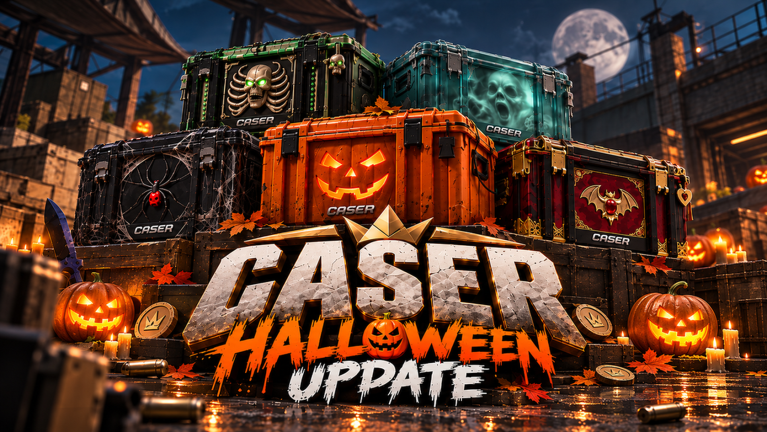
CASER — Open Cases & Upgrade Your Skins! — is easy to open and easy to misplay. This getting-started guide walks you through a calm first day on Roblox: join the experience by GLY Studios, complete the onboarding flow, bank free value from promo codes and Daily Rewards, open starter cases, and decide when (and when not) to touch the Upgrader.
Released 2 September 2026, CASER has grown past six million visits with thousands of concurrent players at peak. The fantasy is CS2-like: cases, weapon skins, knives, gloves, inventory flex, and upgrade spins. The reality check is important too — all currencies and items are virtual and remain inside Roblox. Play for fun, not for cash-out dreams.
Step 1 — Join and finish the tutorial
- Open the official Roblox page for CASER and press Play.
- Let the tutorial finish. Learn where Cases, Upgrader, Inventory, Daily Rewards, and the promo code entry live (often under Profile → Promo Code).
- Note the UI on mobile versus desktop; menus were refreshed in large updates, so buttons may sit in a profile or side panel.
- Do not skip claiming freebies the moment they appear. Early coins compound if you do not burn them on one bad spin.
If the server is full, retry or hop regions. Peak hours can be busy because the game is a popular incremental / RNG simulator.
Step 2 — Redeem codes before you spend
Free coins from codes are the cheapest bankroll you will ever get. Visit the Codes hub, copy active strings, and redeem them in-game. Codes rotate after milestones, events (for example Halloween lines), and update posts — check the list whenever you log in after a patch.
Spend code coins on volume learning, not ego upgrades:
- Open inexpensive or free cases to learn drop ranges.
- Keep a cash buffer so one failed upgrade does not zero you.
- Avoid dumping an entire code payout into a single low-percent Upgrader attempt on day one.
Step 3 — Open your first cases
Cases are the heart of CASER. You will see free cases, cheap boxes, mid tiers, premium lines, and limited event cases. Your first goal is not a knife — it is inventory literacy:
- Which drops feel common versus rare?
- Which skins are easy to sell back for coins?
- Which items are worth keeping for flex or for feeding into upgrades?
Use Best Cases for community-style value tiers (free / cheap / mid / premium / event). Those ranks are heuristics for this Roblox simulator, not Steam Market CS2 prices. Pair that with Skin Rarity so you know what tends to sit at the top of the ladder (knives and gloves) versus filler weapons.
First-session case rules
- Prefer free and cheap cases until you understand sell values.
- After each case, decide keep / sell / upgrade — do not leave junk cluttering decisions.
- Track how many coins you have after ten opens. If the number is collapsing, slow down.
Step 4 — Claim Daily Rewards every login
Before you leave a session, open Daily Rewards and claim. Streaks matter more than any single case. The dedicated Daily Rewards guide explains how free packs fit long-term progression. Habit beats hype: five quiet claims often out-earn one emotional upgrade.
Step 5 — Inventory management basics
Open Inventory and sort what you own:
- Keep signature knives, gloves, or favorites you actually enjoy showing.
- Sell duplicates and low-interest fillers when you need case or upgrade fuel.
- Upgrade candidates are mid-value skins you are willing to lose for a shot at a higher target.
Never upgrade your only favorite skin while your bankroll is tiny. Build a junk buffer first.
Step 6 — When to upgrade vs open more cases
The Upgrader lets you pick skin(s), choose a target item, set chance, and spin. Day-one recommendation:
| Situation | Prefer |
|---|---|
| Tiny bankroll, learning drops | Open more cheap / free cases |
| Stack of mid junk skins | Small, higher-chance upgrades |
| Healthy coin buffer + expendable skins | Occasional mid-risk upgrades |
| Chasing a dream knife immediately | Wait — finish codes, dailies, and case literacy first |
| Tempted by Mystery Zone on hour one | Read Mystery Mode first; treat x5–x15 as optional late-session spice |
Rule of thumb: open to learn, upgrade to convert. If you do not yet know what a skin is “worth” inside CASER’s virtual economy, opening more cases teaches faster than gambling the few items you have.
Use the upgrade odds tool when you want a clearer stake-versus-target picture before spinning.
Step 7 — Optional systems after you are stable
Once dailies, codes, and a small inventory loop feel natural:
- Try Mystery Mode carefully — random x5–x15 Mystery Zone multipliers can print huge virtual wins or erase stakes. Details in Mystery Mode.
- Browse Tier List hubs so case picks and keep/sell decisions match community value thinking.
- If you research client scripts, read safety notes first; account risk is never worth a temporary coin boost.
First-day checklist
- Finish tutorial and find Cases, Upgrader, Inventory, Daily Rewards, Promo Code.
- Redeem every active code from Codes.
- Claim Daily Rewards.
- Open free / cheap cases; practice keep-sell-upgrade decisions.
- Attempt at most one or two high-chance, small-stake upgrades if you upgrade at all.
- Bookmark How to Upgrade and Best Cases for session two.
- Log out with a coin buffer still in the account.
Mindset for a Roblox case simulator
CASER is RNG entertainment. Variance swings hard. A knife on day one feels amazing; a wipe on day one feels worse. The players who look “lucky” after a week usually stacked free value, avoided all-in low-percent spins, and treated Mystery Mode as a side mode — not a recovery button.
Come back tomorrow for another daily claim, check whether codes rotated, and reopen this guide only when a new system unlocks. For everything after the first hour, the sibling guides and the Guides Hub keep the path clear.
Frequently Asked Questions
Quick answers to the most common CASER questions.
What should I do first in CASER?
Finish the tutorial, redeem promo codes, claim Daily Rewards, then open free or cheap cases before touching risky upgrades.
Where do I redeem CASER codes?
Use the in-game promo code field (commonly Profile → Promo Code). Active strings are listed on the Codes hub.
Should beginners use the Upgrader immediately?
Only with small stakes and higher win chances after you have expendable skins. Learn case drop values first.
Is Mystery Mode good for new players?
Usually not on hour one. Mystery Zone multipliers are high variance. Stabilize your bankroll, then read the Mystery Mode guide.
Are items withdrawable for real money?
No. CASER items and currencies are virtual and stay inside the Roblox experience.