CASER Open Cases Upgrade Your Skins CASER Guides & Walkthroughs
From your first free case to smart upgrades, inventory habits, and Mystery Zone runs.
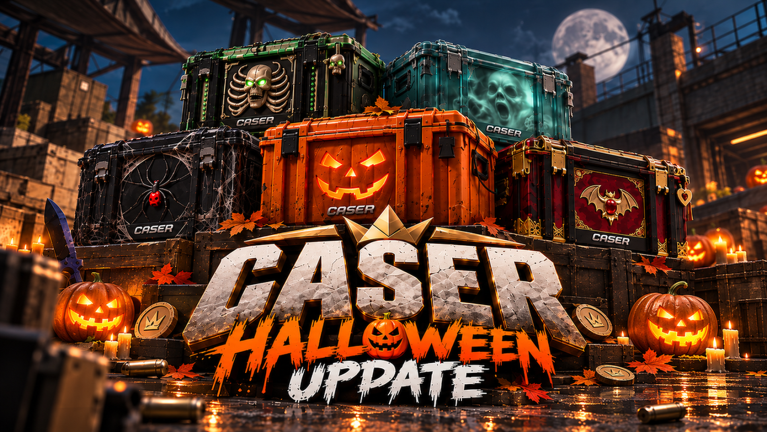
Welcome to the CASER guides hub. CASER — Open Cases & Upgrade Your Skins! by GLY Studios — is a Roblox case simulator inspired by CS2-style unboxing. You open cases for virtual weapon skins, knives, and gloves, then push value through the Upgrader, Mystery Mode, and steady Daily Rewards. Everything here is virtual entertainment inside Roblox: there is no real-money cash-out.
This hub is the map for every how-to on the wiki. Use it when you are new, when a feature confuses you, or when you want a safer progression loop after a bad upgrade streak.
Start here if you are new
- Read Getting Started for a day-one walkthrough: join the experience, finish the tutorial, redeem promo codes, open early cases, and claim daily rewards.
- Follow Opening Cases for free versus paid tiers, bankroll slices, and when selling beats another spin.
- Learn the Upgrader before you dump your whole inventory into one spin. Chance selection and bankroll rules matter more than hype.
- Understand Mystery Mode (Mystery Zone) so you know when a random x5–x15 multiplier is worth the risk.
- Build a Daily Rewards habit so free value compounds while you play cases and upgrades.
- Practice Inventory Habits (Keep / Sell / Upgrade) so the bag stays readable—pair with the Inventory Hub.
Core systems these guides cover
Opening cases
Cases are the primary way to fill your inventory. Expect free or cheap starters, mid-tier boxes, premium lines, and limited event cases when updates drop. Drops are virtual skins across common weapon finishes up through knives and gloves. Sell, keep, or feed items into upgrades depending on your goal. Deepen the loop on Opening Cases. For value-focused case picks, see the Best Cases tier list — community heuristics for this Roblox simulator, not real CS2 market prices.
Upgrader
Pick one or more skins (and sometimes balance), choose a higher-value target, set your win chance, then spin. Lower chance means a bigger jump if you hit; higher chance means smaller steps with less wipe risk. Pair the written guide with the upgrade odds tool when you want to think through stake versus target before you commit.
Mystery Mode / Mystery Zone
Mystery Mode is the high-variance lane: land in the Mystery Zone for a random multiplier typically described as x5 to x15, aiming at a much more valuable reward. It is not a “free jackpot button.” Treat it as optional spice after your bankroll is stable.
Daily Rewards and inventory
Claim every day you can. Streaks and free packs keep coins and skins flowing without spending. Inventory management — what to keep for flex, what to sell for coins, what to upgrade — is where most long-term progress is won or lost. Use Inventory Habits for the session checklist and Collection Goals for knife/glove/set targets. Rarity context lives on Skin Rarity.
Guide index
| Guide | What you will learn |
|---|---|
| Getting Started | First session checklist, codes, early cases, when to upgrade vs open more |
| Opening Cases | Case tiers, free vs paid, when to open vs sell, session bankroll |
| How to Upgrade | Chance presets, risk bands, bankroll tips, when to stop |
| Mystery Mode | Mystery Zone multipliers, timing, and failure modes |
| Daily Rewards | Streak habits and how free rewards fit progression |
| Inventory Habits | Keep / Sell / Upgrade sorting, duplicates, session workflow |
Related hubs outside Guides
- Codes — redeem active promo codes for free coins and boosts (GLY Studios place only).
- Tier List — case value philosophy and rarity ladders for this simulator.
- Inventory Hub — keep/sell policy and collection goals.
- Scripts — community script notes and safety reminders if you research client tools.
- Upgrade odds tool — helper for thinking about Upgrader chance versus target value.
How to use this wiki while you play
Open CASER on Roblox, keep this Guides hub in a second tab, and follow one loop at a time. New players should prioritize codes → daily claim → cheap or free cases → Keep/Sell sort → small inventory cleanup before any aggressive upgrade. Veterans can jump straight into Upgrader bankroll rules or Mystery Mode timing after checking Best Cases for the current value meta.
CASER launched on 2 September 2026, has grown past six million visits (6M+), and regularly updates cases and features. Mechanics can shift with patches, so re-check guides after big Fridays or event drops. Always remember: skins, knives, gloves, and coins in CASER are virtual only and stay inside the game.
When you finish a guide, bounce to a sibling page in the same section — for example, from Opening Cases into Inventory Habits, or from Upgrader into Mystery Mode — so your next session has a clear plan instead of random spinning.
Frequently Asked Questions
Quick answers to the most common CASER questions.
Which CASER guide should I read first?
Start with Getting Started for the day-one loop (codes, first cases, daily rewards). Then read Opening Cases and How to Upgrade before risking large inventory value.
Are CASER skins real CS2 items?
No. CASER is a Roblox simulator with virtual skins, knives, and gloves inspired by CS2 aesthetics. Nothing withdraws to Steam or real money.
Where do promo codes fit into guides?
Redeem codes early for free coins, then follow Getting Started and Opening Cases. Live lists live on the Codes hub; guides explain how to spend those coins wisely.
What is Mystery Mode in short?
Mystery Mode / Mystery Zone is a high-risk upgrade path with a random x5–x15 style multiplier for bigger rewards. Read the dedicated Mystery Mode guide before large bets.
Where are inventory sorting habits documented?
Use the Inventory Habits guide for Keep/Sell/Upgrade session workflow, and the Inventory Hub plus Collection Goals pages for policy and knife/glove/set targets.