CASER Open Cases Upgrade Your Skins CASER Tools Hub
Planners and checklists that make RNG sessions less chaotic.
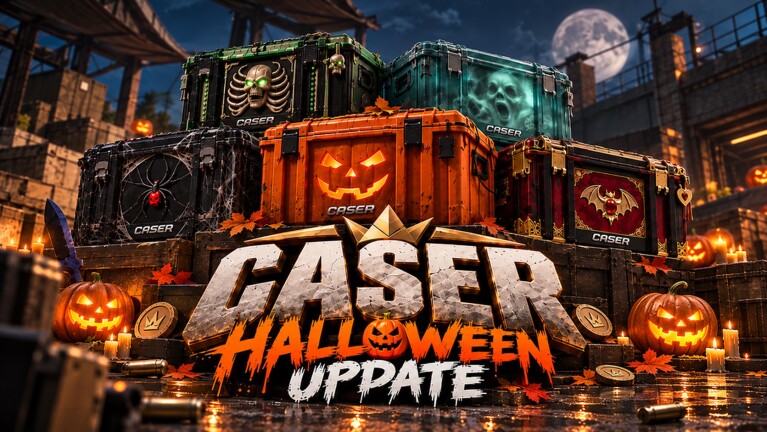
The Tools hub collects player-facing planners for CASER - Open Cases & Upgrade Your Skins! These pages do not inject scripts into Roblox and they do not promise wins. They help you think clearly about chance, target value, and coin management before you click spin.
CASER’s loop is simple to describe and easy to tilt: open cases, stock an inventory, sell or keep skins, then risk value in the Upgrader or Mystery Mode. Tools exist so that tilt has a counterweight—written rules you can follow when a near-miss tempts a revenge spin.
What belongs in Tools
- Odds and value planners — frameworks for reading % chance against a target’s virtual value.
- Bankroll checklists — session limits, stop-loss ideas, and when to return to case volume instead of upgrades.
- Mode comparisons — when Upgrader’s chosen target beats Mystery Mode’s multiplier swing, and vice versa.
- Cross-links into durable Guides, live Codes, and desirability notes on the Tier List.
Start with the flagship planner: Upgrade Odds. It walks through percentage intuition, expected-value thinking without fake precision, and practical rules for both Upgrader and Mystery Mode.
How to use wiki tools during a session
- Redeem any working promos from Codes and claim dailies.
- Decide your session bankroll in coins (a slice of total balance, not the whole stack).
- Open the Upgrade Odds page and pick a risk band (high chance / mid / long shot).
- Confirm the live % and target inside CASER—never spin from memory of yesterday’s UI.
- After a win or loss, update inventory keep/sell choices via the Inventory Hub.
- Stop when the bankroll slice is gone; reopen cases later instead of chasing.
Tools pages stay useful across patches because they teach decision process. When GLY Studios reshuffles cases or presets, your checklist still asks the same questions: What percent am I buying? What do I lose on failure? Can I afford ten more attempts at this stake?
Upgrader versus Mystery Mode (tooling angle)
Upgrader shines when you care about a named target. You see a chance, you stake skins and/or balance, and you accept a binary outcome. Tools help you avoid staking a favorite knife on a tiny % “because it looks cool.”
Mystery Mode (Mystery Zone) shines when you accept a multiplier range and a surprise reward band. Tools push you to size the entry so a miss does not delete your case budget for the week.
Neither mode prints coins on average just because the animation feels fair. Treat displayed percentages as the contract for that spin. If the contract is unclear after a patch, wait—open cheap cases instead of guessing.
Pairing Tools with the rest of the wiki
- Mechanics walkthroughs: Guides Hub and beginner onboarding under Getting Started.
- Seasonal context: Updates and the November 2026 snapshot.
- Collection strategy: Inventory Hub.
- Official destinations: Links Hub.
If you only bookmark one tool, make it Upgrade Odds. Return to this hub when we add calculators, checklists, or mode comparators later. Every new tool should earn its slot by changing a real decision you make before spinning—not by decorating the nav.
Honesty limits
These tools cannot see your live inventory API, cannot change drop tables, and cannot detect private server experiments. They also will not help with unauthorized executors—that content, if covered at all, lives under Scripts with clear risk framing and is separate from planning tools.
Play CASER as a virtual CS2-inspired case simulator. Coins and skins stay in Roblox. Use Tools to spend attention wisely, then enjoy the unbox animation either way.
Frequently Asked Questions
Quick answers to the most common CASER questions.
Do CASER wiki tools guarantee profit?
No. They organize risk decisions. Displayed in-game chances still govern each spin, and variance can wipe a session bankroll.
Which tool should I open first?
Upgrade Odds. It covers % versus target value, bankroll rules of thumb, and EV intuition for Upgrader and Mystery Mode.
Are these tools official GLY Studios products?
No. This is an unofficial fan wiki. Always confirm percentages and prices inside the live Roblox game.
Can tools replace the Guides section?
No. Guides teach how systems work; Tools help you plan stakes. Use both—especially after UI-heavy updates.