CASER Open Cases Upgrade Your Skins CASER Scripts
Unofficial automation tools for case opens and market actions—with clear risk warnings.
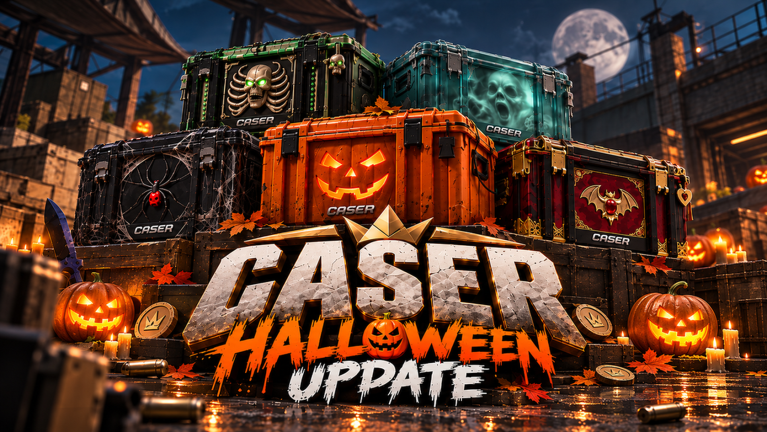
CASER - Open Cases & Upgrade Your Skins! is designed to be played by hand: pick a case, watch the spin, decide whether the Upgrader chance is worth it, and dip into Mystery Mode when you want a multiplier swing. Some players still look for scripts that auto-open cases, rotate VIP batches, snipe market listings, or click coin pickups. This hub explains what those tools claim to do, how they fit the CASER loop, and why you should treat every executor loadstring as use at your own risk.
Nothing on this page is an official GLY Studios product. Scripts can break after an update, drain coins faster than you intend, or contribute to moderation action on your Roblox account. Prefer official play, promo codes, and Daily Rewards whenever you can. Claim free value from the Codes Hub and learn the UI via How to Redeem Codes and Getting Started before you consider automation.
What players usually automate
CASER’s core loops map cleanly to script features:
- Case opening — Repeated opens to farm skins, knives, and gloves for Inventory.
- Case rotation — Cycling multiple case types, including VIP batches, instead of manually reselecting.
- Market actions — Auto-snipe buys or instant resells when a listing looks profitable.
- Inventory filters — Keep knives (or other high-value categories) while dumping filler.
- Coin helpers — Auto-click world or UI coin sources so the bankroll refills between opens.
- EV helpers — Highlight or prefer opens that the script authors mark as better expected value.
Detailed loadstrings, feature breakdowns, and executor steps live on the auto-open scripts page. This hub stays at the decision layer: should you run one at all, and what to prepare if you still do.
Featured script directions
Community tools currently discussed for CASER fall into two practical buckets:
- Full suite / market-aware scripts — Market auto-snipe, instant resell, keep-knives filters, auto click coins, auto open cases, and best-EV style helpers. Aimed at players who live in Inventory and market loops, not only raw opens.
- Open-and-rotate scripts — Auto open with case rotation (often advertised around very high open rates) and VIP batch support (for example batches up to 10). Aimed at pure volume farming when you already accept the risk.
Exact paste-ready loadstrings and per-feature notes are documented under Auto Open Scripts. We do not embed third-party brand marketing here; we describe capabilities so you can compare them against manual play.
Safety disclaimer (read this)
- Ban and moderation risk — Using exploits or executors can violate Roblox rules and game rules. Accounts may be warned, limited, or banned. There is no wiki guarantee of safety.
- Malware risk — Fake script pastes and “key systems” can steal session cookies or install junk. Only run code you understand, from contexts you trust, on throwaway accounts if you experiment at all.
- Economic risk — Auto-open can burn a 100K code bankroll in minutes. Scripts do not magically improve odds; they only accelerate decisions—including bad ones.
- Update breakage — A working loadstring today can error tomorrow after a CASER or Roblox patch.
- No cashout — Automated or not, CASER items are virtual. Scripts that promise real-money profit from skins are scams.
If you value the account, prefer official play. Codes, dailies, careful Upgrader use, and disciplined Mystery Mode sessions already provide a complete free-to-play path.
Manual play checklist (recommended)
- Redeem every active code on the Codes Hub using the redeem guide.
- Claim Daily Rewards each login.
- Open cases in deliberate batches; review Inventory before another spend.
- Use the Upgrader when the shown chance matches your tolerance—not because a script flashed “Best EV.”
- Treat Mystery Mode’s x5–x15 zone as a conscious swing.
- Only then, if you still want automation, read auto-open end to end—including warnings—before touching an executor.
How executors fit (high level)
Unofficial scripts generally require a third-party executor attached to the Roblox client. You paste a loadstring(game:HttpGet(...))() line, execute it, then toggle GUI options the script injects. That pipeline is inherently unsupported. We document it for completeness on the child page because players search for it; documentation is not endorsement.
Practical hygiene if you proceed anyway:
- Use a secondary account when testing.
- Never paste your main account password into script Discord bots or “whitelist” sites.
- Disable auto-features the moment something spends faster than you expect.
- Stop immediately if the script asks for unexpected permissions or downloads.
Scripts vs codes vs guides
| Goal | Better first stop |
|---|---|
| Free coins now | Codes Hub |
| UI path for promos | How to Redeem |
| Learn cases, Upgrader, Mystery Mode | Getting Started |
| Loadstrings and feature toggles | Auto Open Scripts |
Most progression problems are solved without scripts. A player who just redeemed Halloween 2026 and still feels broke usually needs better case selection and upgrader discipline—not a 4-opens-per-second rotator.
Ethics and community norms
Auto-sniping markets can disadvantage manual traders. Instant mass opens can inflate support noise when scripts error mid-purchase. If you automate, keep impact contained: do not harass other players, do not advertise paid bypasses in public chats, and do not attack the experience with crash tools. This wiki will not host destructive payloads.
When to skip scripts entirely
Skip automation if:
- You cannot afford to lose the account.
- You are still learning basic Inventory and Upgrader flows.
- You only needed promo codes (use the codes pages instead).
- A script demands an upfront key purchase from an unknown seller.
- You feel pressured by “limited stock” scam funnels.
CASER remains enjoyable as a straightforward case simulator. Knives, gloves, and flashy skins are virtual flexes—not income. Play the loop GLY Studios shipped; use this Scripts Hub only as a risk-aware reference, with deep technical detail isolated on Auto Open Scripts.
Frequently Asked Questions
Quick answers to the most common CASER questions.
Are CASER scripts safe to use?
No script is guaranteed safe. Executors can risk bans, malware, and broken sessions. Prefer official play, codes, and Daily Rewards. If you still experiment, use secondary accounts and accept full personal risk.
Do I need scripts to enjoy CASER?
No. Cases, Upgrader, Mystery Mode, Inventory, Daily Rewards, and promo codes work fully in normal play. Scripts only accelerate actions you can already do manually.
Where are the auto-open loadstrings?
See the Auto Open Scripts page for both commonly shared loadstrings, feature lists, executor steps, and warnings.
Can scripts cash out CASER skins for real money?
No. Items are virtual only. Anyone promising real-money cashout from CASER inventory is scamming you.
What should I do before running any script?
Redeem codes on a clean client, learn the game via Getting Started, read the auto-open warnings, and decide whether a ban risk is acceptable on that account.